Apartment finder

Buyers choose their apartment in the building, not in a PDF.

Your development as an interactive 3D building, in your branding, on laptop, tablet and phone.

Demo

Everything in one place

  • The building in 3D, inside and out
  • Floors and units with filters for size, rooms and availability
  • Floor plans and 3D floor plans
  • Interior galleries and video
  • Compass and surroundings
  • A live walkthrough button for the real-time tour
  • A request form that names the exact unit

All in one app, in your branding.

What buyers can do

  1. Spin the building and pick a floor.
  2. Filter by size, rooms and availability.
  3. Open any unit: floor plan, 3D plan, interiors and video.
  4. Check orientation and surroundings with the compass.
  5. Request a live walkthrough or the unit itself, in one click.

What you send us

Floor plans or a 3D model, your unit list and your branding. From that, we build the building in 3D, set up every unit and design the finder in your look.

Projects

Grünhof Residences: the building in 3D on a laptop

DemoMid-rise

Grünhof Residences

Buildings 1 · Floors 5 · Units 15

Sea Terraces: the building in 3D on a laptop

DemoCoastal

Sea Terraces

Buildings 2 · Floors 12 · Units 18

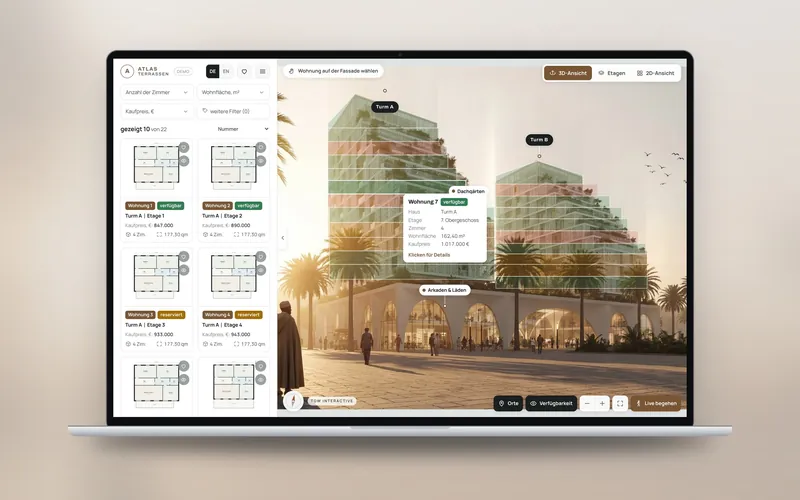
Atlas Terraces: the building in 3D on a laptop

DemoTwin towers

Atlas Terraces

Buildings 2 · Floors 13 · Units 22

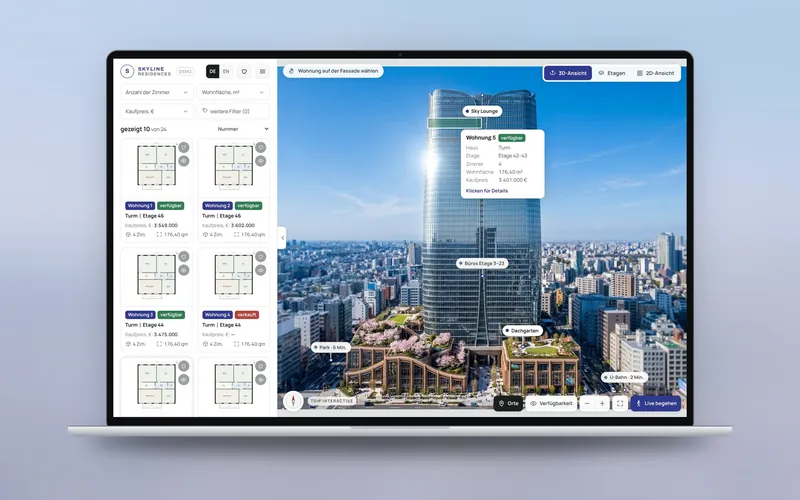
Skyline Residences: the building in 3D on a laptop

DemoHigh-rise

Skyline Residences

Buildings 1 · Floors 12 · Units 24

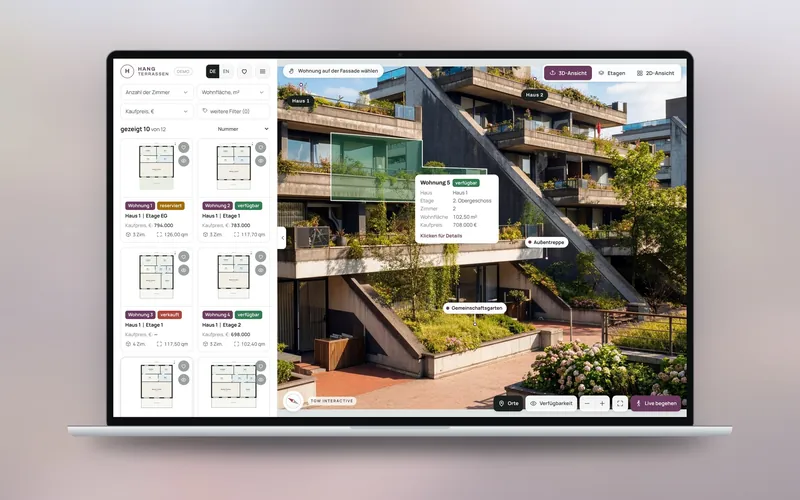
Hillside Terraces: the building in 3D on a laptop

DemoTerraced

Hillside Terraces

Buildings 3 · Floors 4 · Units 12

Put the building in your buyers' hands.

Send your brief with plans, budget and timeline. If it fits, we set up a call and walk you through the finder live.

Send your brief